Top 5 Website Screenshot Tools for Developers and Teams (2026)

Written By Hanzala Saleem
Updated At June 16, 2026 | 10 min read
Written By Hanzala Saleem
Updated At June 16, 2026 | 10 min read
Finding a reliable website screenshot tool is more complicated than it looks especially when you need more than a one-off capture.
If you're capturing dozens of pages for a report, automating screenshots for a monitoring workflow, or building link previews into an application, your basic PrtSc button and browser right-click aren't going to cut it. You need a tool that fits the actual scale and technical requirements of the job.
This guide covers the top 5 website screenshot tools across different use cases, from lightweight browser extensions to developer-grade screenshot APIs, and helps you decide which one belongs in your stack.
A website screenshot tool is any software or service that captures a visual image of a web page. These range from simple browser extensions that save what's visible on screen to screenshot APIs that programmatically capture any URL at scale, including JavaScript-rendered content, full-page scrolling, mobile viewports, and dynamic content without manual interaction.
Before picking a tool, it helps to understand the three main categories because they solve fundamentally different problems.
Best for occasional, manual captures. You navigate to the page, click the extension, and save the image. Fast and zero-setup, but not scalable. If you need 500 screenshots a week, a browser extension is not the answer.
Best for programmatic, automated, or high-volume captures. You send an HTTP request with a URL, and the API returns a rendered image. Screenshot APIs handle JavaScript execution, lazy-loaded content, full-page scrolling, custom viewports, and output format selection without you managing any browser infrastructure. This is what developers use when screenshots are a feature of their product, not just a one-off task.
Best for teams that need maximum control and already manage backend infrastructure. Puppeteer (Chrome) and Playwright (multi-browser) let you script complex interactions before capturing, like logging in or clicking through a modal. The tradeoff is operational overhead: you manage server memory, browser version compatibility, scaling, and crash recovery yourself.
Rule of thumb: If your workflow is "give me a screenshot of this URL," use an API. If you need to interact with the page before capturing, consider self-hosted or hybrid.
Before selecting a tool, consider the following factors:
Common use cases that drive tool selection include:
| Tool | Type | Free Plan | Best For | Full-Page Capture | API Access | Starting Price |
|---|---|---|---|---|---|---|
| ScreenshotAPI | Screenshot API | 100/mo | Developers, automation | Yes | Yes | $9/mo |
| Snagit | Desktop app | Trial | Documentation, annotations | Yes | No | $62.99 one-time |
| FireShot | Browser extension | Lite | Occasional captures, sharing | Yes | No | $39.95 lifetime |
| 1Click Screenshot | Browser extension | Free | Simple, one-off captures | Yes | No | Free |
| URL2PNG | Screenshot API | No | Developers, bulk captures | Yes | Yes | $29/mo |
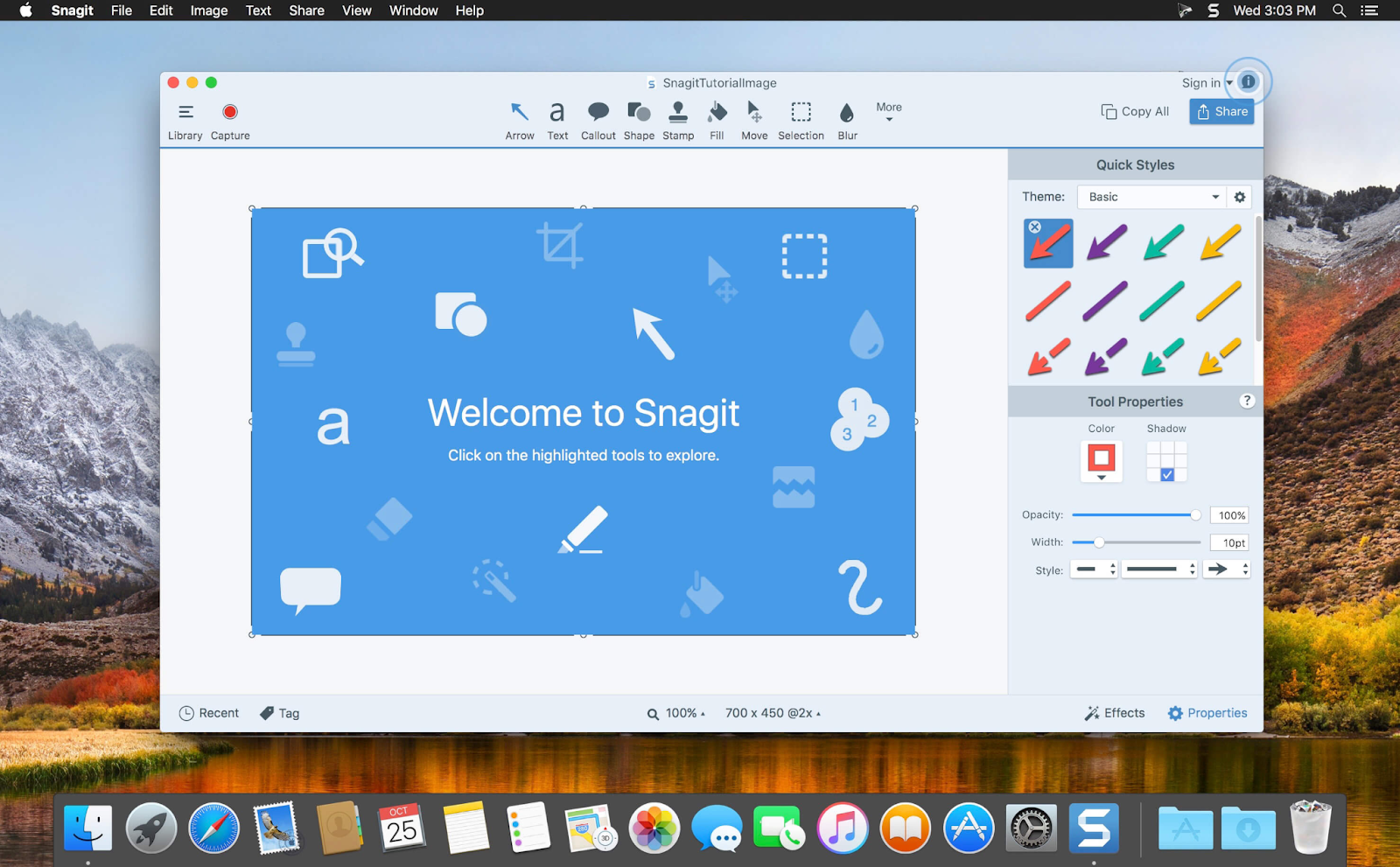
Best for: Technical writers, UX researchers, product managers, and remote teams creating documentation, training materials, or annotated visual reports.
Snagit is a desktop application (Mac and Windows) that has been the gold standard for professional screen capture for over two decades. It goes well beyond simple screenshots: it supports scrolling captures, screen recording, animated GIFs, text extraction from screenshots, and a powerful annotation layer for marking up captures with arrows, callouts, blurs, and labels.
For teams building user documentation, creating training guides, or annotating product flows for design review, Snagit is genuinely hard to beat. The editing tools are deep and polished, and the sharing workflow integrations (including Slack, Jira, and Confluence) are useful for collaborative teams.
The key limitation is that Snagit is entirely manual. You navigate to the page you want to capture, activate the tool, take the screenshot, annotate it, and export it. There's no API, no automation, and no way to trigger captures programmatically. For a team processing 100+ screenshots per week across different URLs, this becomes a bottleneck.
Snagit is available as a one-time digital download, starting at $62.99 for a single license (installs on up to two computers). A fully functional free trial is available. There is no subscription model; you pay once and own the version you purchased.
Best for: Developers, agencies, and SaaS teams needing automated, high-volume, or programmatic screenshots.

ScreenshotAPI is a developer-first screenshot API that turns any URL into a rendered image with a single HTTP request. Unlike browser extensions that require manual navigation, ScreenshotAPI works entirely in the background. You send a URL, and it returns a screenshot. No browser to open. No page to navigate to manually.
ScreenshotAPI uses a real Chromium rendering engine, which means it handles the full modern web stack: JavaScript execution, lazy-loaded content, scroll-to-view elements, parallax effects, and SPAs built with React or Vue. Pages that return blank images in lightweight tools render correctly here.
Key capabilities:
A basic API call looks like this:
curl "https://shot.screenshotapi.net/v3/screenshot?token={token}&url=https://ipgeolocation.io/&width=1680&height=876&fresh=true&file_type=webp"
This is the difference between a tool and an API. Developers integrate ScreenshotAPI directly into their applications, not as a standalone utility, but as an automated screenshot layer inside monitoring dashboards, reporting tools, CMS pipelines, and QA workflows.
| Plan | Price | Screenshots/Month |
|---|---|---|
| Free | $0 | 100 |
| Starter | $9/mo | 1,000 |
| Growth | $29/mo | 10,000 |
| Scale | $175/mo | 100,000 |
ScreenshotAPI's free plan is one of the most accessible in the market, with 100 screenshots per month with no credit card required. For teams processing 10,000 screenshots monthly, the $29/month plan works out to $0.0029 per screenshot, making it highly competitive at scale.
ScreenshotAPI is trusted by companies worldwide, including Dentsu, for production-scale screenshot automation.
Best for: Collaboration on the go
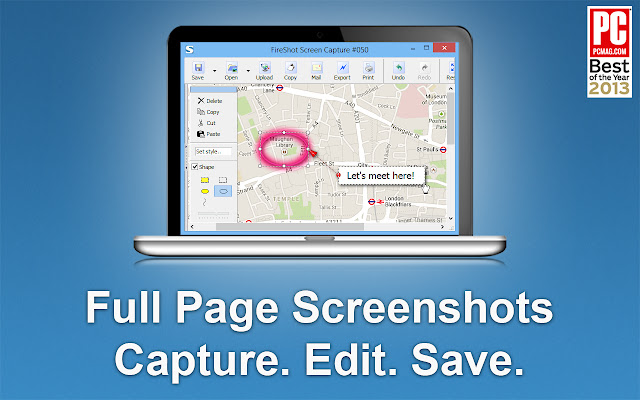
Fireshot is a browser extension available for all the popular browsers, including Chrome, Firefox, and Microsoft Edge. This makes it easy for almost anyone to use. Unfortunately, it’s not available as an extension for Safari.
Using the tool is as easy as opening a website and choosing what you want to do. You can capture the entire page, only the visible part, or even a section. Once done, Fireshot also gives you different saving and sharing options like email or storing the image locally.
While Fireshot Lite is free, the Pro version will cost you $39.95 as a once-off, lifetime license purchase. For more advanced features, you’ll have to opt for Fireshot Pro, which includes annotations, editing, export to OneNote, and more.
Best for: Occasional screenshot-taker
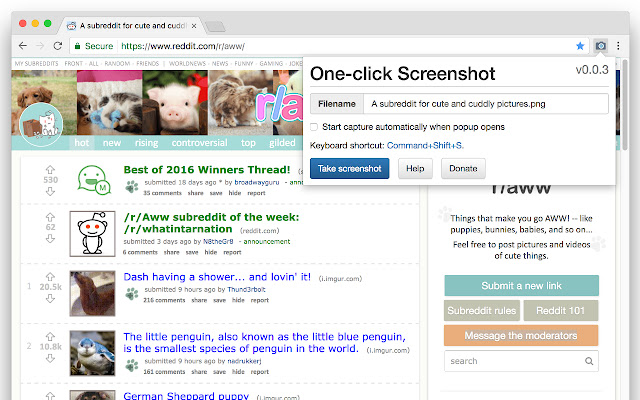
Like Fireshot, 1Click Screenshot is available as a browser extension, but only on Google Chrome. So, this might not be the best option for you if you use any other browsers.
Once you’ve installed 1Click Screenshot, you’ll be able to take full website screenshots, and you can also annotate your screenshots with drawings, arrows, text, and more. You’ll be able to save your screenshots as images locally, as PDFs, or copy them to your clipboard.
Like the two tools mentioned earlier, you’ll have to navigate to every page you want a screenshot of, making it inefficient for bulk screenshots. But if you only want simple features, and given that it’s free, 1Click Screenshot is hard to beat.
Best for: Developers and agencies needing programmatic screenshot generation from a simple API with multi-language support.
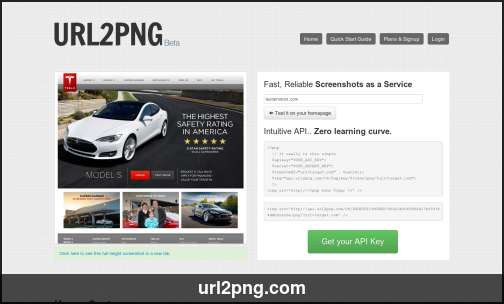
URL2PNG is the first screenshot tool that makes it more efficient to take a large volume of screenshots. You can capture screenshots directly from its dashboard. It also provides several code samples in different languages, including Ruby, Python, C#, and more, that allow you to take screenshots programmatically from within an application.
You only need to add your API key.
One major drawback is that, while the tool allows you to capture screenshots quickly, it doesn’t provide tools to edit or annotate your screenshots.
Another significant drawback to URL2PNG is the price. The tool doesn’t offer a free plan, and pricing starts at $29 per month for 5,000 screenshots. It goes up to $199 per month for 50,000 screenshots, with enterprise plans for higher volumes available upon request.
The limitations are meaningful, however. URL2PNG has no free plan, unlike ScreenshotAPI, which offers 100 free screenshots per month. At $29/month for just 5,000 screenshots, its cost-per-capture ratio is significantly higher than ScreenshotAPI's $29/month for 10,000. It also lacks annotation tools, advanced scheduling, and no-code integration options.
The right tool depends entirely on how and how often you need screenshots.
Choose a browser extension (FireShot or 1Click Screenshot) if you need occasional, manual captures and don't require automation. They're fast, free or cheap, and require no setup.
Choose Snagit if your primary need is creating annotated visual documentation training materials, bug reports, and product walkthroughs where the editing and annotation experience matters more than scale.
Choose ScreenshotAPI if you need screenshots programmatically: from an application, on a schedule, in bulk, or integrated into a no-code workflow. The free plan lets you start immediately; the pricing is the most competitive among API options at scale, and the feature set, full-page capture, mobile viewports, CSS injection, PDF output, and ad blocking covers the full range of developer use cases.
Choose URL2PNG if you specifically need a simple API with wide language SDK support and don't require the extended feature set or free tier.
For most teams doing anything beyond occasional manual captures, ScreenshotAPI is the strongest value, as it combines developer-grade rendering accuracy, broad format support, no-code integrations, and a free plan that makes it low-risk to evaluate.
Start your free plan and take smarter screenshots with ScreenshotAPI!
ScreenshotAPI offers the most accessible free plan among screenshot APIs, 100 screenshots per month with no credit card required. The free tier includes full access to the core API, including full-page capture, PNG and JPG output, and JavaScript rendering.
A good screenshot API uses a real headless browser (typically Chromium) to fully render JavaScript before capturing, which means SPAs, React apps, lazy-loaded images, and dynamic content appear correctly in the output. The key difference from a simple HTTP fetch is that the API actually executes JavaScript, waits for network requests to settle, and captures the final visual state, making it reliable on modern web stacks.
Use a screenshot API when screenshots are a feature of your product, not your core infrastructure. Self-hosted Puppeteer requires you to manage Chrome version compatibility, container memory (headless Chrome is notoriously RAM-hungry), queuing to prevent CPU spikes, retry logic for flaky pages, and security sandboxing. A screenshot API offloads all of that to a managed service with a single HTTP call.


